
Sleep debt: how short you are this week
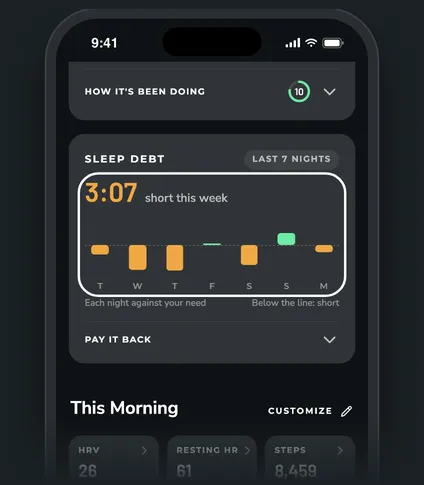
The Sleep debt card adds up your last 7 nights against your sleep need. When you're behind, it shows by how much and how to get back to even. It sits on Today, right after Tomorrow's recovery.
Steps
When it shows
Only when you're 2 hours or more short over the last 7 nights, with at least 4 of those nights recorded. The rest of the time it stays out of the way. If you don't see it, you're less than 2 hours behind.
A night with more sleep than you needed counts toward paying back a short one. So two short nights and one long night can even out.
What the card shows
- The big number: how short you are in total this week, in hours and minutes.
- The bars: one per night, oldest on the left. Below the line means short that night. Above the line means extra. No bar means about even, and a small striped mark means that night wasn't recorded.
- Each night is measured against WHOOP's sleep need for that night, without the debt it carries forward. That way a short night isn't counted twice.
Pay it back
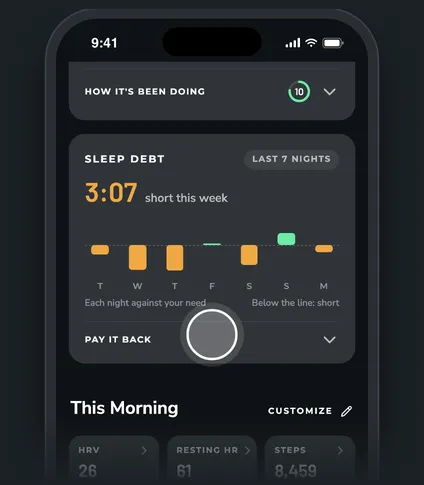
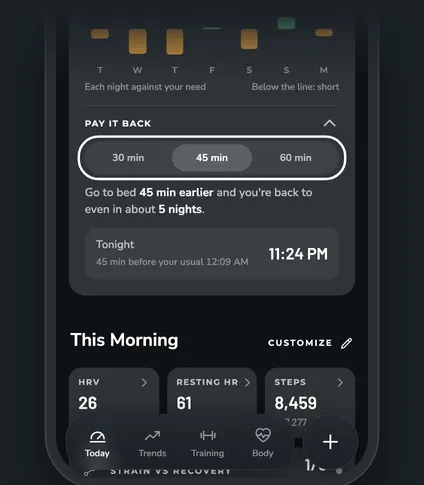
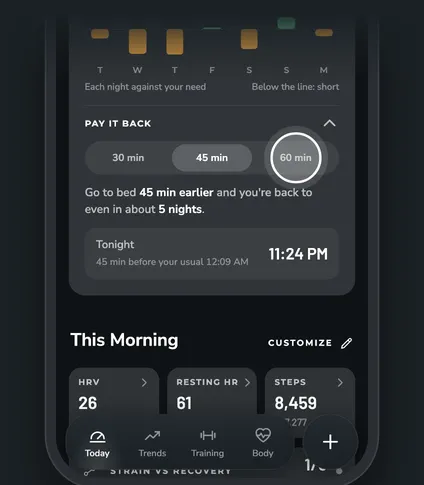
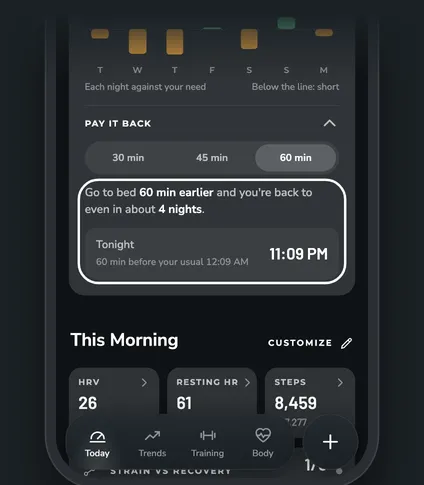
Tap Pay it back and pick 30 min, 45 min or 60 min:
- Go to bed earlier: how many nights at that pace until you're back to even.
- Tonight: your usual bedtime moved earlier by what you picked. Your usual is the average of your last 30 nights.
Questions
What's the difference from the Sleep debt row in This Morning?
The row is WHOOP's own sleep debt: what it's adding to tonight's need. The card is ZONAL's total for the whole last week. You can add the row with Customize, and tap it to see it over time in the Trend View.
Why did the card disappear?
You're less than 2 hours short over the last 7 nights now. It comes back on its own if that changes.
Does sleeping in count?
Yes. Any night longer than your need counts as extra and lowers the total, whether you went to bed earlier or slept in.