
Monthly recap
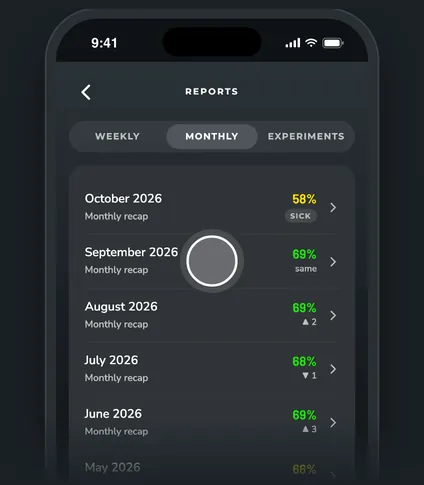
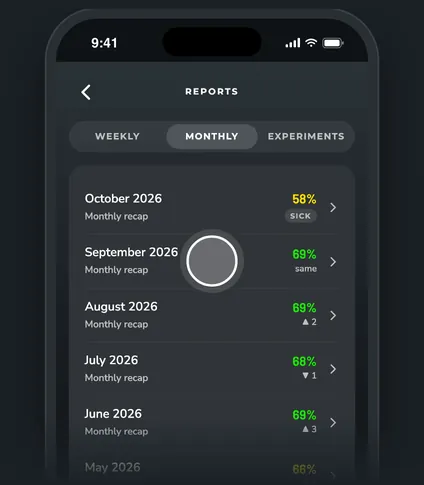
The monthly recap shows how last month went, next to the month before. Open it from the Monthly recap row at the top of the Trends tab, or from Reports > Monthly.
Steps
What's in a recap
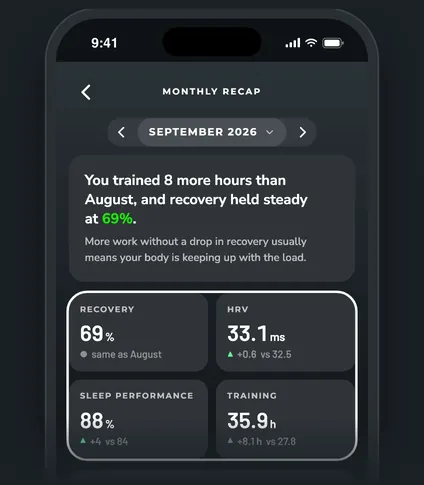
- The lead: one line on the month, then four tiles: Recovery, HRV, Sleep performance and Training (hours), each against the month before.
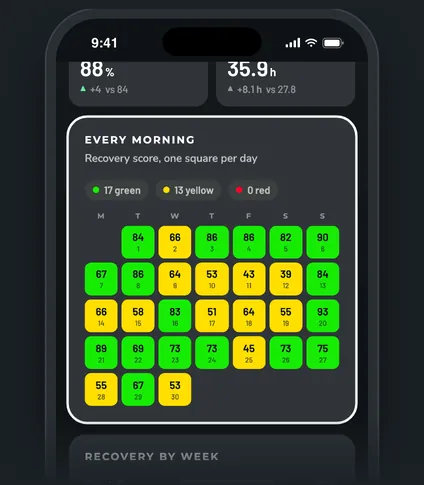
- Every morning: a calendar with one square per day in its recovery color, and your green, yellow and red counts.
- Recovery by week: your average recovery for each Monday to Sunday week in the month. The best week is marked.
- Where your time went: hours by activity this month next to last month.
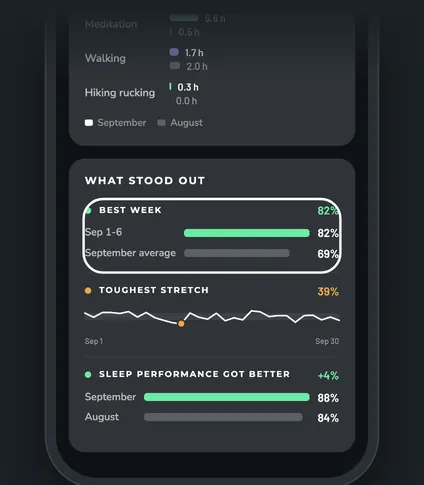
- What stood out: your best week, your toughest stretch (the lowest three healthy mornings in a row), and whichever of sleep performance, HRV or resting heart rate moved the most.
Moving between months
Use the arrows on either side of the month name, or tap the month name to pick one. Every recap you've had stays listed under Reports > Monthly.
When a recap shows up
A month's recap is ready on the 1st of the next month. It needs a finished month with at least 14 healthy mornings.
Questions
How are sick and travel days handled?
Sick days stay on the calendar with a stripe but are left out of the averages, weeks and counts. Travel days show a plane, and they're left out too when travel days are excluded from your norms. A month that's short only because you were sick gets a sick recap instead.
Why doesn't a week count in Recovery by week?
A week needs 3 healthy mornings inside the month to get an average.
Do recovery activities count as training hours?
No. The Training tile counts every session except recovery activities and activities you set to Ignore.