
Tag a session type
ZONAL guesses each workout's type from WHOOP's activity, strain and heart rate zones. When it guesses wrong, or you want one of your own types, tag it yourself. Your tag always wins.
Steps
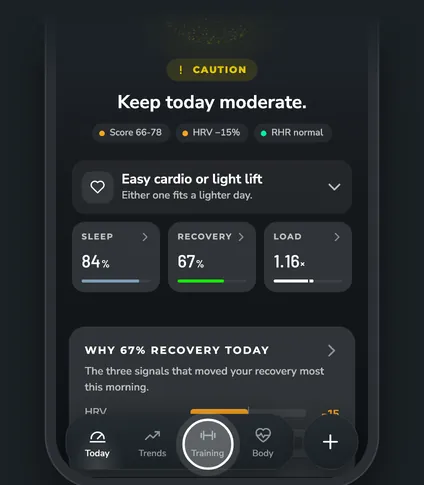
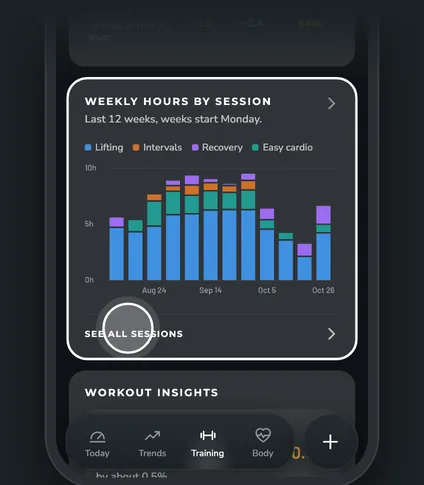
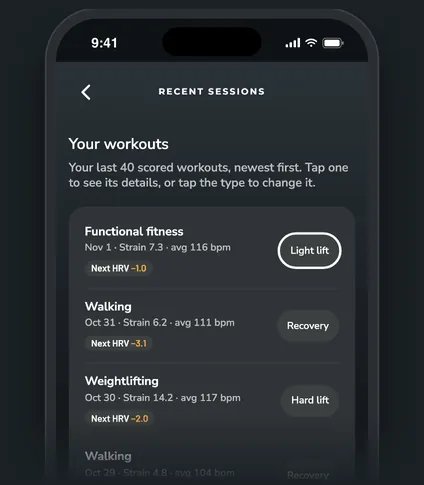
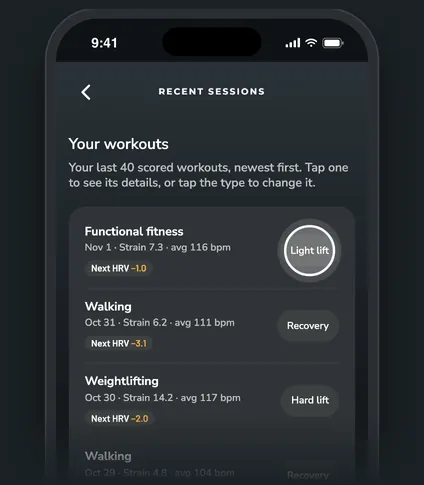
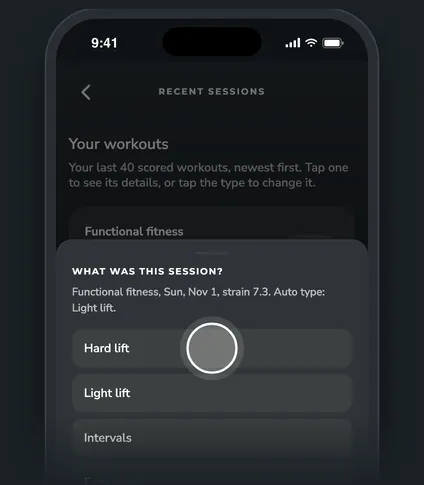
Where to find your workouts
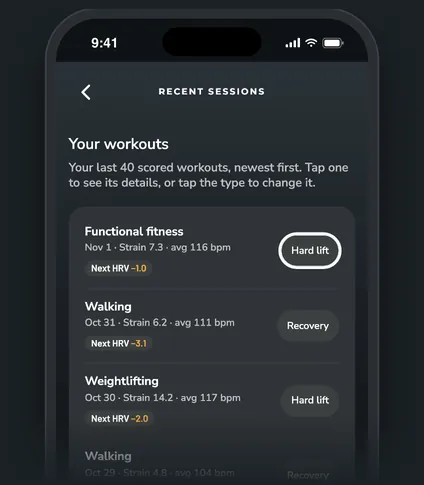
Open the Training tab and scroll to Weekly hours by session. Tap See all sessions at the bottom of the card. You'll see your last 40 scored workouts, newest first. The button on the right of each one shows its current type, or Set type when it has none.
You can also tap a workout to open it, then tap the button next to Session type.
The types you can pick
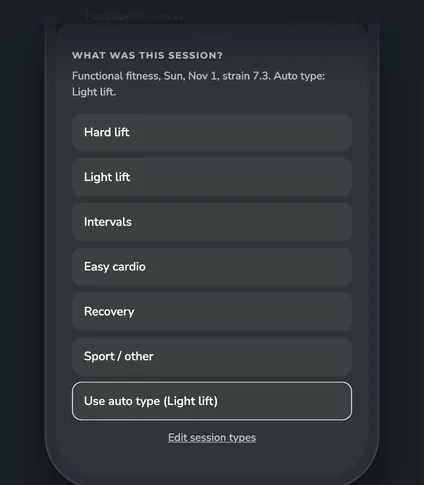
The sheet lists your session types by the names you gave them. To start, those are Hard lift, Light lift, Intervals, Easy cardio, Recovery and Sport / other. Any types you added show up too, and types you hid don't.
The last choice, Use auto type, removes your tag and goes back to ZONAL's guess. It shows the auto type's name in brackets.
To rename, add or hide types, tap Edit session types at the bottom of the sheet. It opens Session types (also in More, under Your setup). See Set up your session types.
How the auto type works
Without a tag, an Auto-apply choice for the workout's WHOOP activity comes first: every session of that activity gets the type you picked. Otherwise ZONAL sorts each scored workout by the role you gave its activity in setup (Strength, Cardio, Sport, Recovery or Ignore):
- Strength splits into Hard lift and Light lift by the workout's strain.
- Cardio splits by time in heart rate zones 4 and 5: 8 minutes or more is Intervals, less is Easy cardio.
- Recovery activities count as Recovery, and Sport counts as Sport / other.
- Activities set to Ignore get no type.
To change an activity's role for every workout at once, tap the round + button, then More, then Your setup.
Good to know. If you rename a type, every screen shows your new name. Your tags and history stay the same.
What a tag changes
Your tag moves the workout into that row in What training costs you, Weekly hours by session, and the Sessions tab of What moves your numbers on Trends.
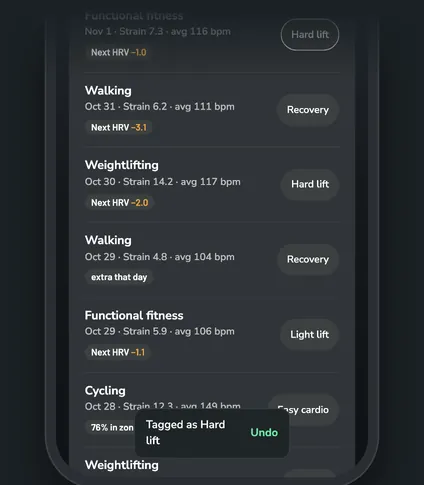
Good to know. Tagged by mistake? Tap Undo on the message at the bottom of the screen right after you pick.
Questions
Can I tag a sauna or meditation session?
WHOOP doesn't score those, so they don't appear in the session list and don't count toward training costs.
Does tagging change anything in WHOOP?
No. Tags live in ZONAL only. Your WHOOP app and data stay the same.
How do I remove a tag?
Open the same sheet and tap Use auto type.
I hid a type. What happens to sessions I already tagged with it?
They keep that type and still count everywhere. A hidden type just isn't offered when you tag.