
Mark a sick period
Being sick pulls your HRV, resting HR and recovery off your usual. Marking a sick period keeps those days out of your normal, keeps the call easy while you're ill, and gives each illness its own page to look back on.
Steps
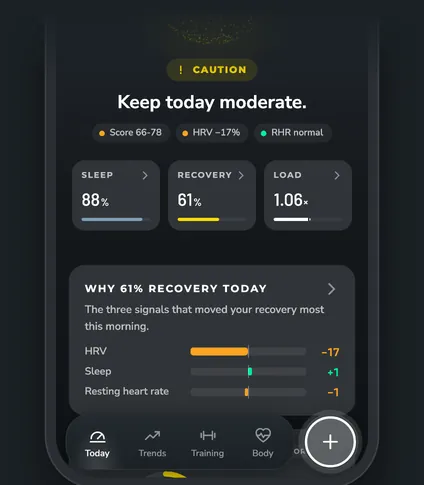
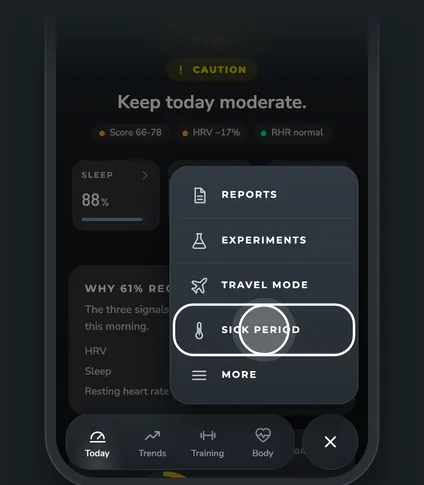
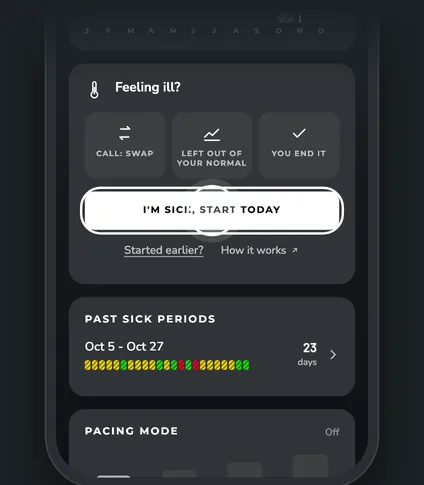
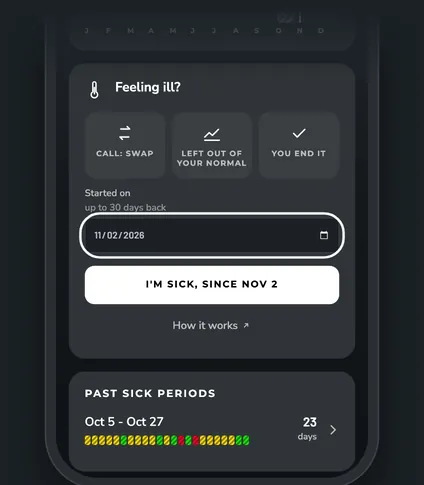
Start a sick period
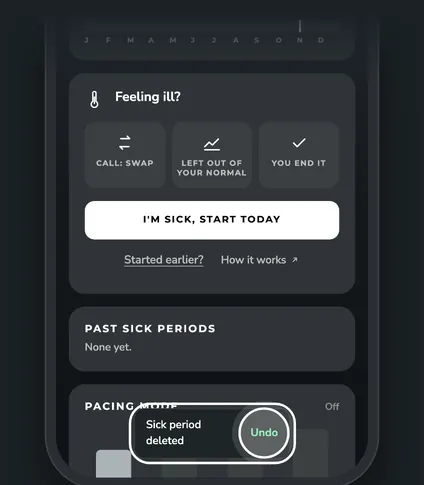
Tap the round + button, then Sick period. On the Feeling ill? card:
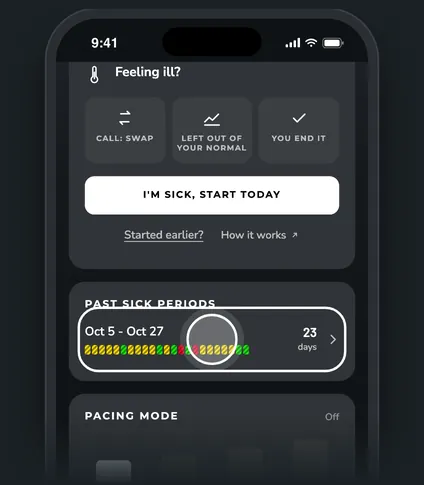
- Tap I'm sick, start today.
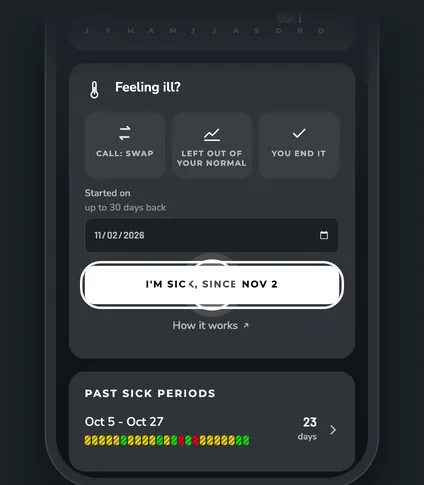
- Got sick a few days ago? Tap Started earlier?, pick the day (up to 30 days back), then tap the button. It now says the day, like I'm sick, since Nov 2.
What marking sick does
The three icons on the card sum it up:
- Call: Swap. The morning call stays Swap until your resting HR and HRV are back near your normal. You can turn this off with Swap while sick in Advanced settings.
- Left out of your normal. Sick days are left out of your normal ranges, trends and effects, so a cold doesn't move your baseline.
- You end it. ZONAL never ends a sick period on its own.
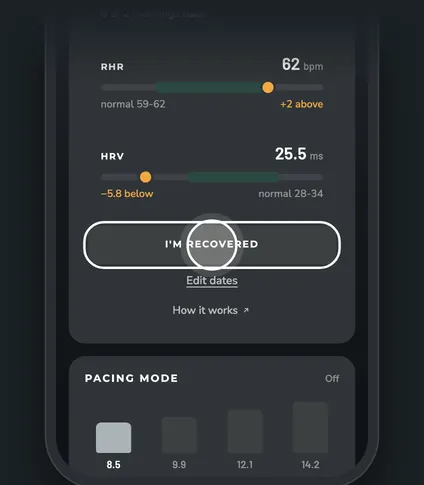
End it with I'm recovered
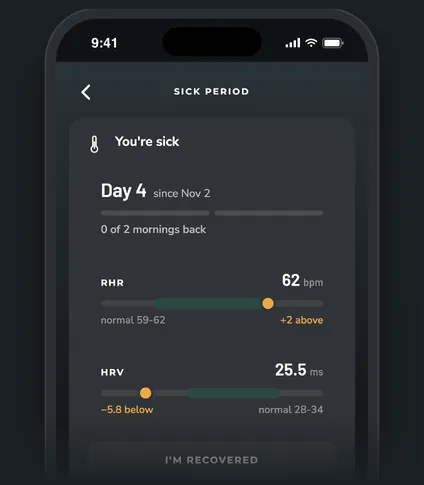
While you're sick, the Sick period screen and Today show Day 4, your resting HR and HRV against your healthy normal, and how many mornings in a row you've been back.
A morning counts as back when your resting HR is within 1.5 bpm of your normal and your HRV is within 3 ms of it. After 2 of those mornings in a row, the I'm recovered button lights up. You can tap it any time, though. The period ends yesterday, so today counts as a healthy day.
After you tap it, ZONAL asks once if you'd like to ease back in. See Pacing mode.
Look back at a past illness
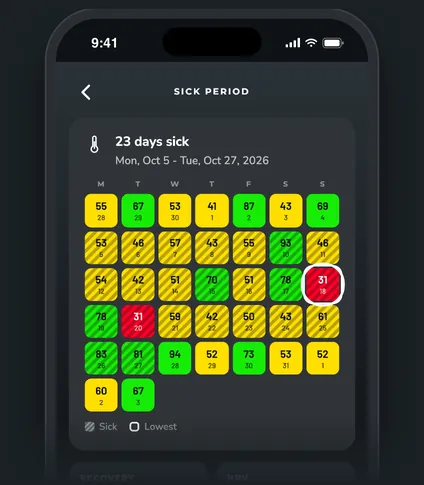
Your sick periods are listed on the Sick period screen with their dates, a strip of daily recovery colors and how many days they lasted. Tap one to open its page:
| Section | What it shows |
|---|---|
| Calendar | Each morning's recovery, from a week before to a week after. Sick days are striped and your lowest day is ringed. |
| Recovery, HRV, Resting HR, Skin temp | Your average while sick against your normal from the 4 weeks before. |
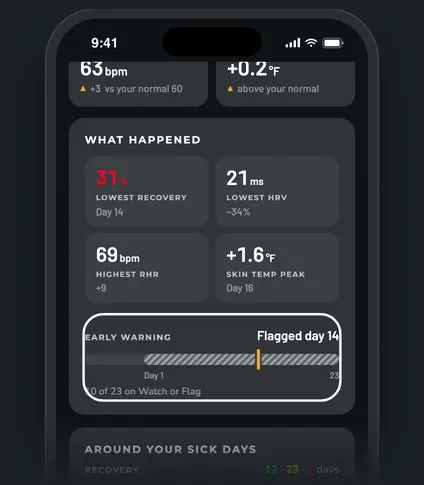
| What happened | Your lowest recovery, lowest HRV, highest resting HR and skin temperature peak, with the day each one happened. |
| Early warning | The day Signal watch first flagged the illness, marked on the sick days. It can land after the illness started. |
| Around your sick days | Recovery, HRV and resting HR charts. Tap More signals for sleep, day strain, skin temperature and breathing rate. |
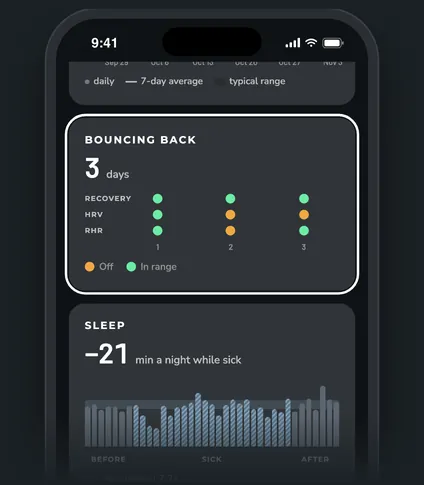
| Bouncing back | How many days it took after the illness until your recovery, HRV and resting HR were all in your usual range. Each dot is one morning: amber is off, green is in range. |
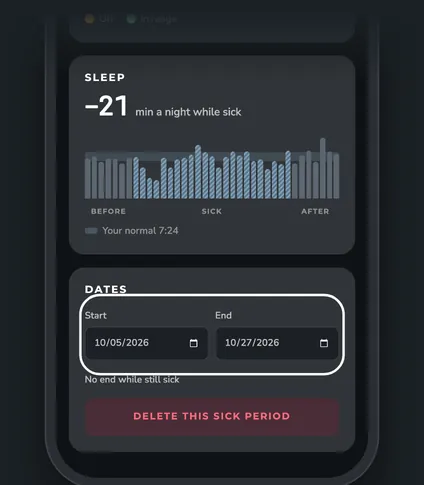
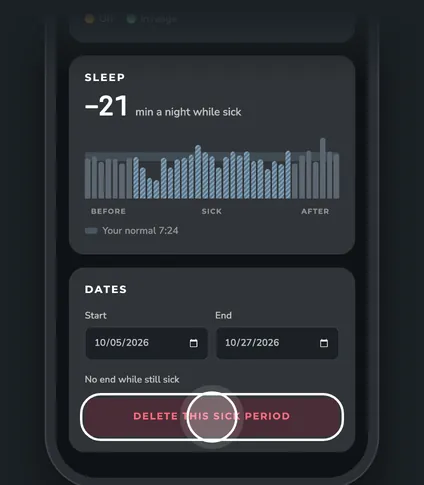
| Sleep | How many more or fewer minutes you slept a night while sick, against your normal. |
Questions
Can I fix the dates later?
Yes. Open the period and change Start or End under Dates. Changes save right away. Leave End blank while you're still sick. This is also how you fix an illness that started more than 30 days ago.
How do I delete a sick period?
Open it and tap Delete this sick period. A message with Undo shows for a few seconds in case you tapped it by mistake.
Why was the early warning after I got sick?
Signal watch looks at your morning signals. Some illnesses show up in them a day or two before you feel it, others only once you're already sick. The marker shows when it flagged, not when you got sick.
Is ZONAL telling me I'm sick?
No. ZONAL is for training and wellness. It doesn't diagnose illness and isn't medical advice. If you feel unwell or aren't getting better, talk to a doctor.